We learn the work first
Rules such as a lens waiting for its frame rarely appear in a brief, so we observe the work on the floor before we design anything.
Case Study · Platform Development and Maintenance
O Lab Plus is an independent optical laboratory in Brossard, Québec, serving eyecare clinics since 1987. We develop and maintain the platform its orders run through, improved the speed and quality of delivery, and continue to maintain it with each release.
The client
O Lab Plus has cut and mounted lenses for eyecare clinics in Brossard since 1987. Every order arrives through the platform, which also tracks production, handles clinic messages and issues the invoices.
The central constraint
A lens cannot be cut until the right frame is on the bench.
The order path
Each state matches a real step at the bench, which is the level of detail the lab needs to tell a clinic where its order is.
Draft
Started by the clinic, not yet sent.
To verify
The lab checks the Rx and lens build.
In progress
Accepted and in production.
Uncut production
Lenses surfaced, not yet cut.
Cutting and mounting
Cut to the frame and mounted.
Finishing
Final checks.
Shipping
Left the lab, on the way to the clinic.
Invoiced
On the clinic's statement.
Frame on hold
The order waits here for its frame, and no delivery date is shown until the frame arrives.
Remake
The job runs again and is counted separately, so rework does not inflate the month's production numbers.
Inside the admin
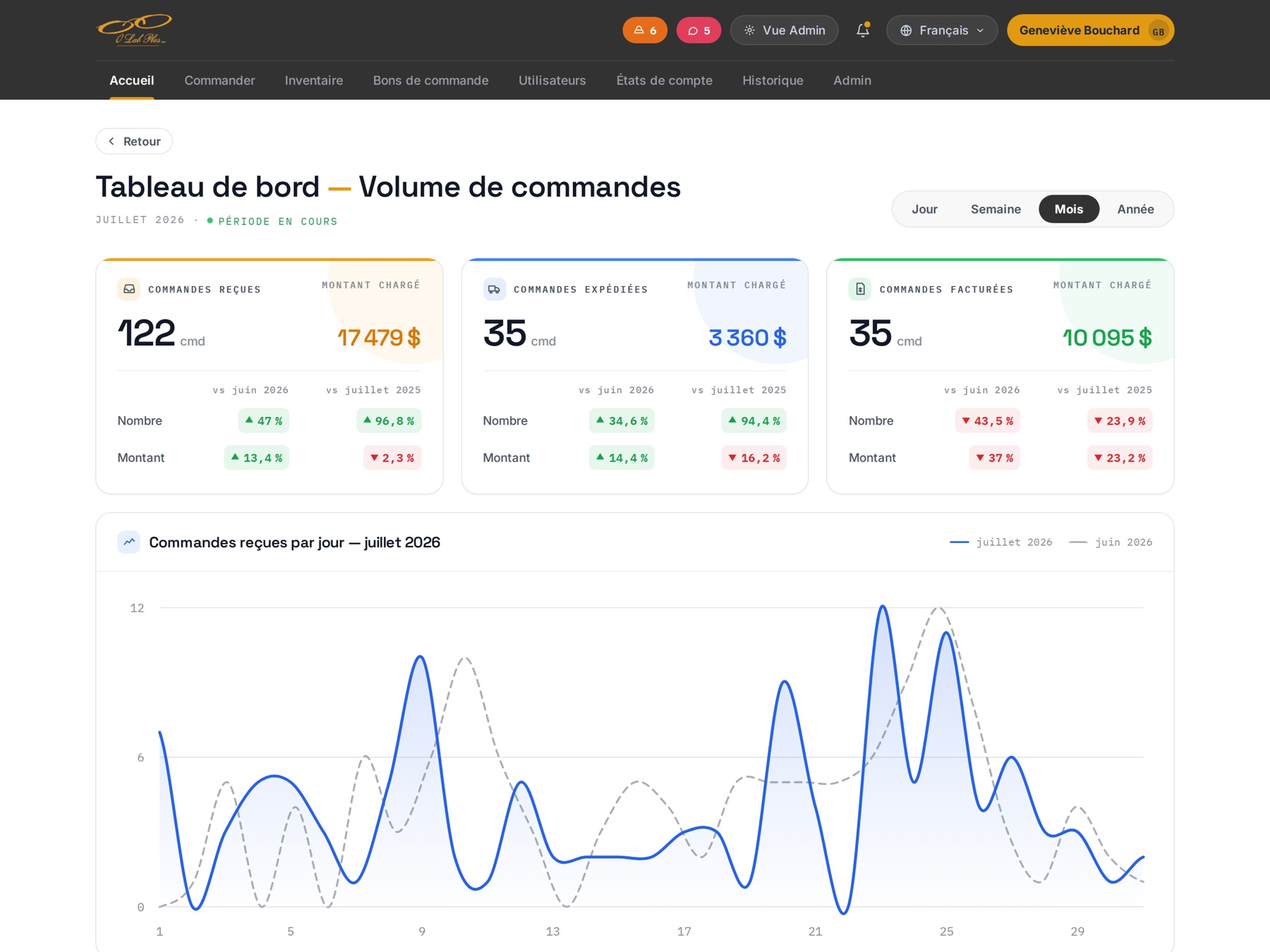
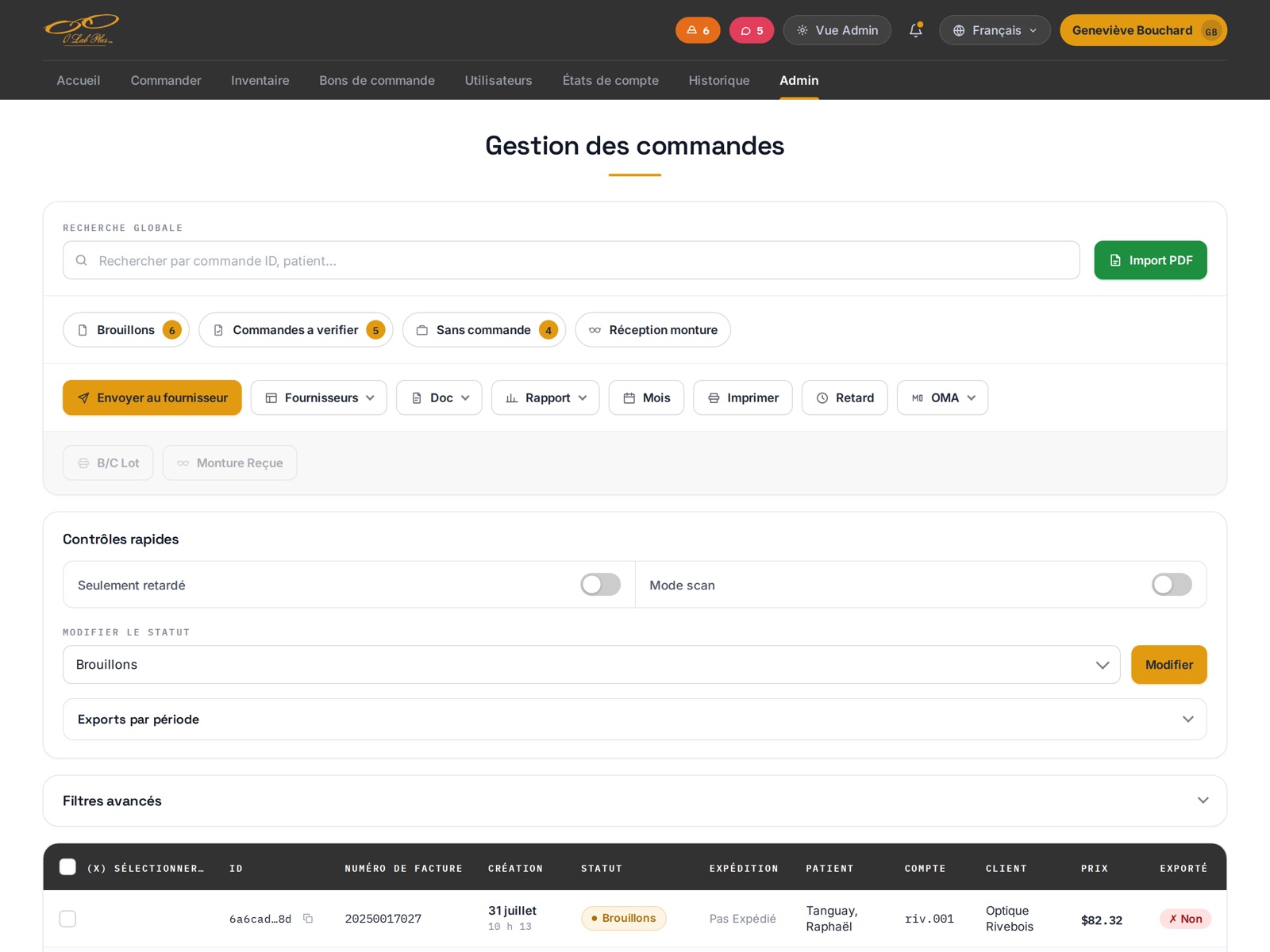
One console holds every order, and clinic messages sit on the same screens, attached to the order they concern.
Production runs from this console. Exceptions appear as counters along the top instead of filters someone has to remember, so the orders that need attention are visible before anyone searches.
On this screen
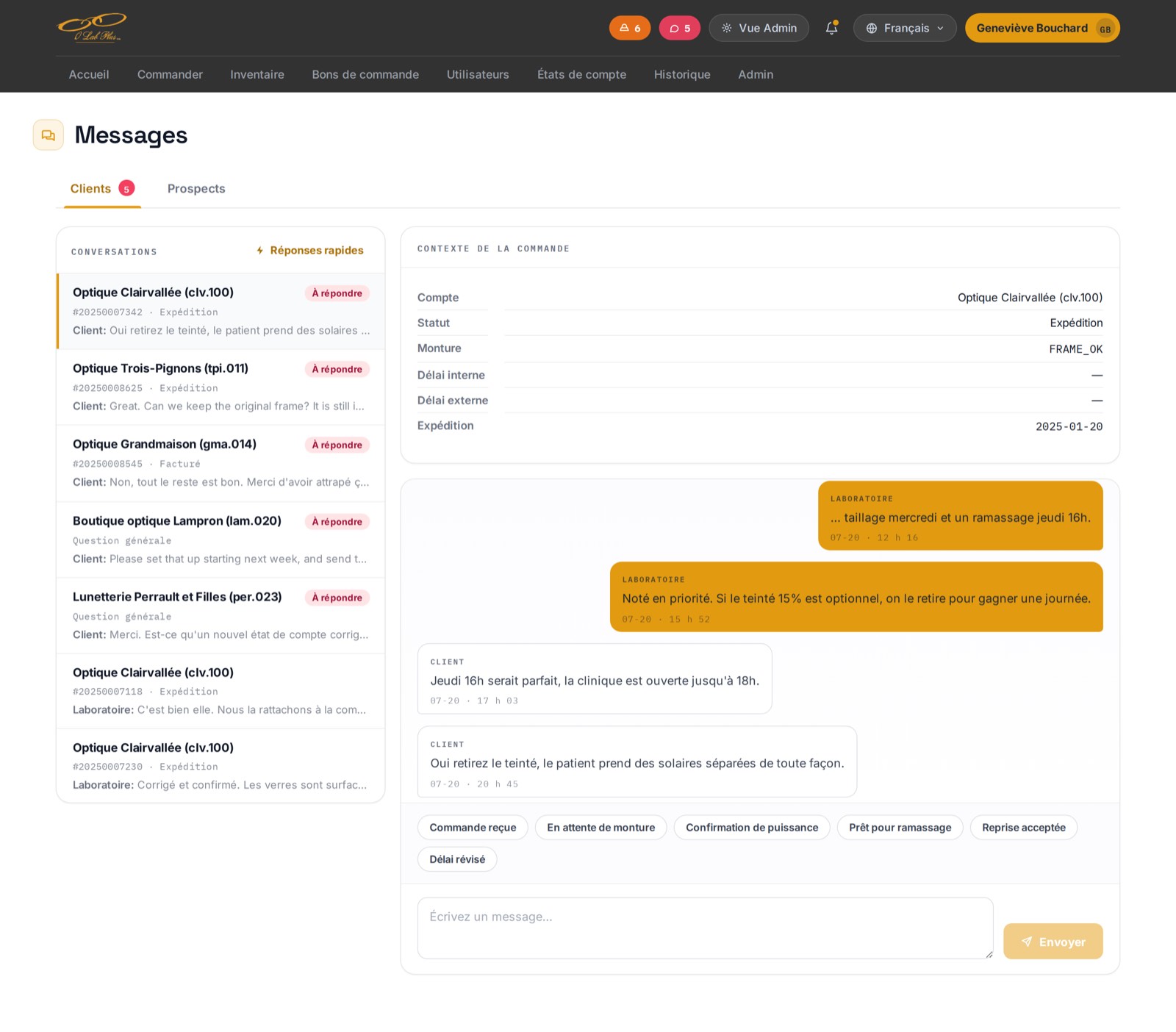
Each clinic question concerns one job, so the thread opens with that job's account, status, frame, both delay dates and shipping date beside it, and staff can answer without looking the order up.
On this screen
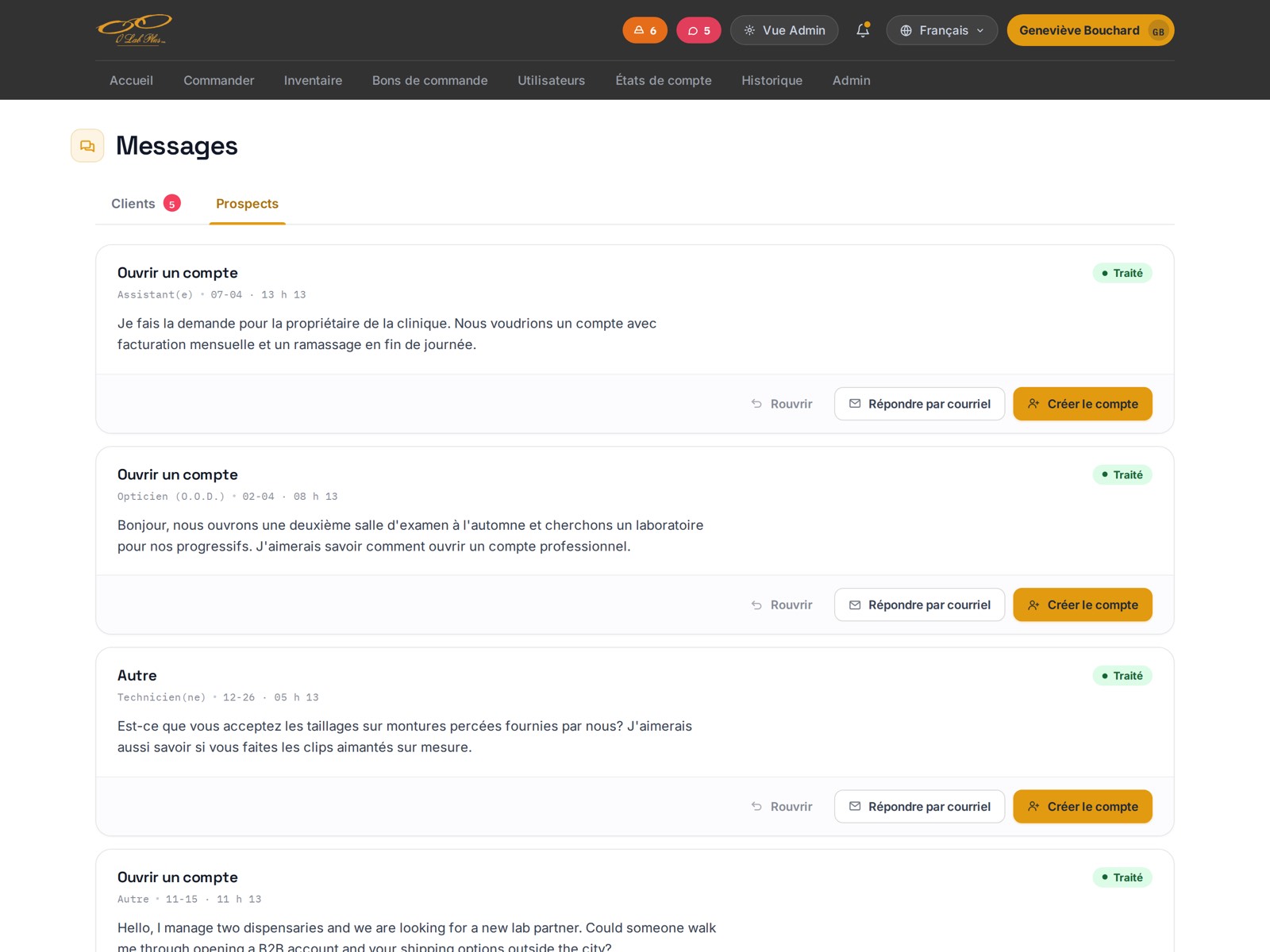
The public contact form writes into the Prospects tab, beside the client threads. When the lab takes a clinic on, one button turns the request into an account, so a new client is never entered twice.
On this screen
Every supplier order carries a status, and each row shows how much has arrived, such as 5 of 5 or 0 of 7, so a partial delivery is visible without opening the order.
On this screen
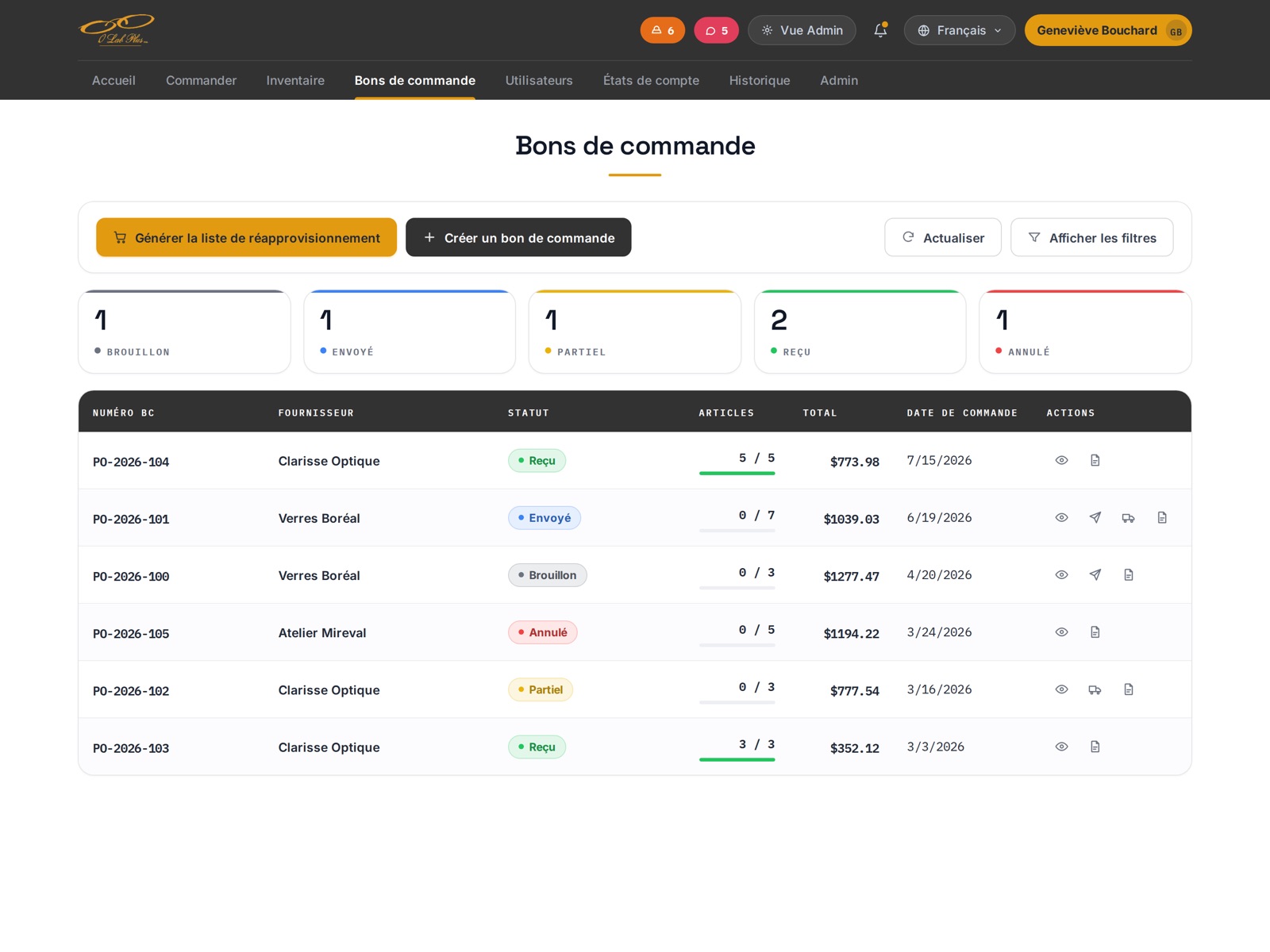
This is a demonstration environment, not production. Every clinic, patient name, prescription and figure is invented. No O Lab Plus customer, patient or supplier appears on this page.
The clinic side
Clinics use a smaller view of the same platform, and every question it answers is a phone call the lab does not have to take.
An order specifies a lens the lab has to be able to make. The clinic enters it across 3 tabs with a live summary beside them, so the full order can be checked before it is sent.
On this screen
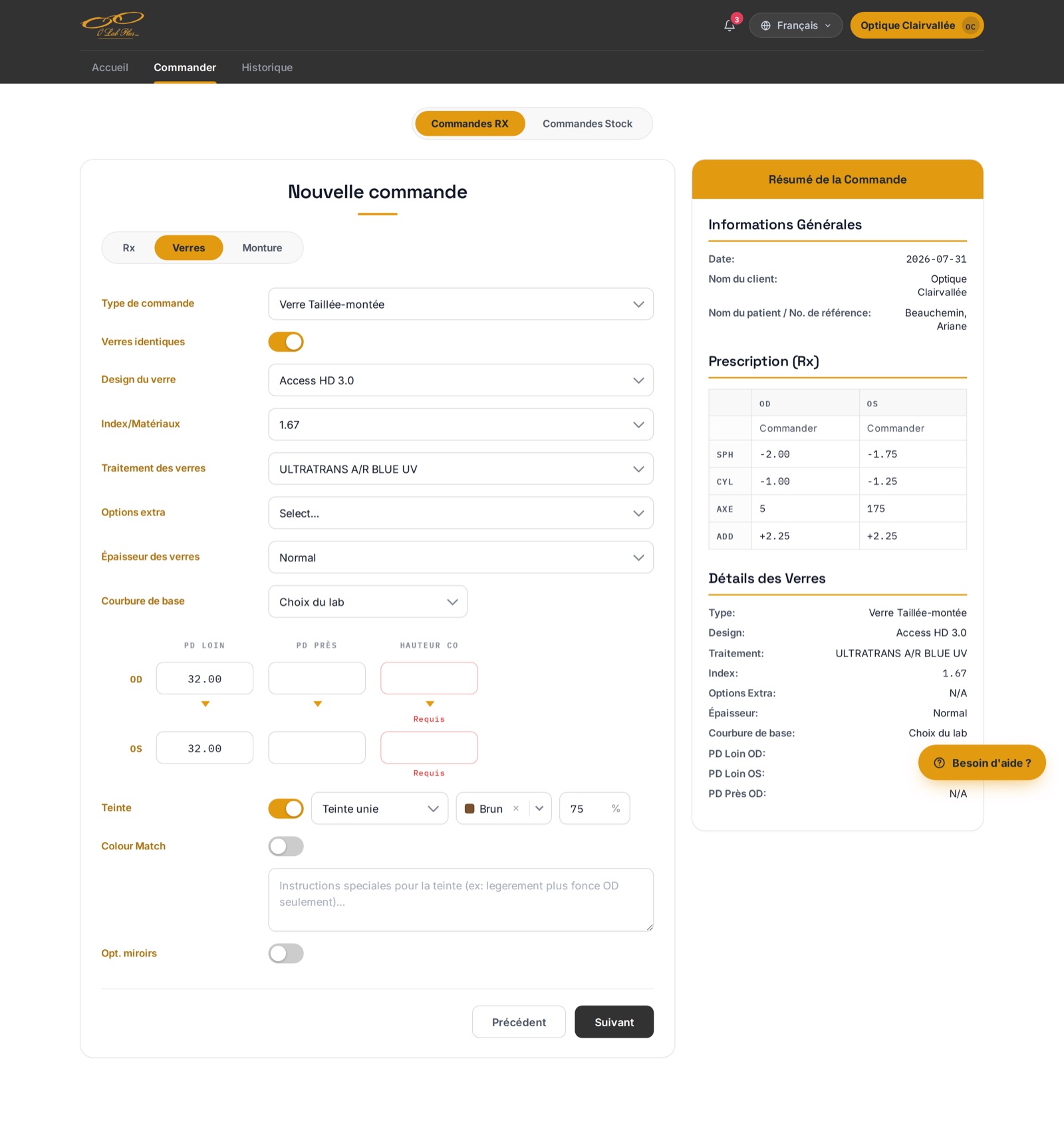
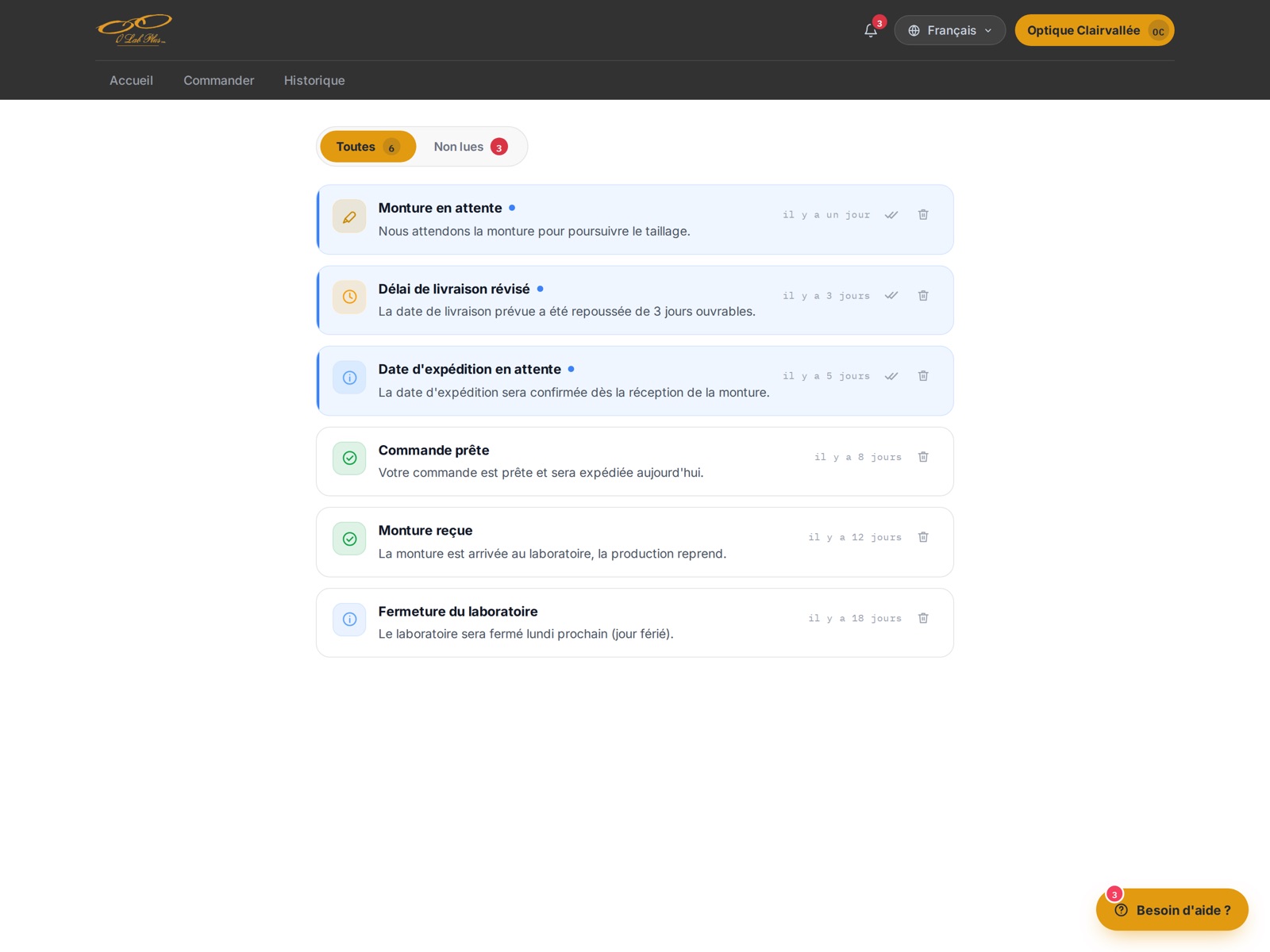
The clinic is notified whenever an order changes state, including delays. A delivery date pushed back by 3 working days is stated plainly in the notification, so nobody learns about it on a phone call.
On this screen
Other modules
These modules get less attention than production, but billing, stock and audit records have to be exact.
Frame tracking
Who is waiting on a frame, how long they have waited, and whose delay it is.
Statements & aging
Gross, discount, net, payments and balance per clinic, with aging across 5 buckets.
Inventory
Stock levels, shelf locations, below-minimum warnings and reorder recommendations.
Reports
Delay risk, shipping manifests, print lists and supplier anomalies, generated on demand.
Email & audit
Every email sent, an inbound triage queue, and a trail on every report.
Public site
The lab's product pages, with a contact form landing in the same inbox as client messages.
How we work
We learned how the lab works, improved the speed and quality of development, and have continued to improve the platform with each release.
The result
Prescription to invoice on one platform, developed for a lab in business since 1987 and updated with each release
For the lab
Production, frames, billing and every clinic conversation on one record.
For its clinics
Their own orders, and a clear status on a late frame, with no delivery date promised until it can be met.
Next
New modules land on a platform we maintain. We review risky changes before they ship.
Your turn
Off-the-shelf software rarely fits a business with its own way of working, and in that case we build a platform around how the business operates.
Rules such as a lens waiting for its frame rarely appear in a brief, so we observe the work on the floor before we design anything.
Each module goes into real use before the next one starts, so you see the platform working early in the project.
After launch we stay on the project, reviewing every significant change and building the modules that come next.
Describe the work, the people who do it and the tasks your current software cannot handle. We will tell you what we can build and what it will cost.
Have a project in mind?We build it and keep it running.
Book a call