We watch the work first
The reason a warehouse distrusts a line on a requisition is rarely in the brief. We find it on the floor, with the people who get blamed when a truck is loaded wrong.
Case study · Field operations, analysis to launch
A modular construction manufacturer in Québec moved every material request between its sites and its warehouse through one shared spreadsheet. We designed and built the application that replaced it, from the first workshop to go-live.
The problem
A site needed material, so someone exported a list of parts, pasted it into a shared workbook, typed a description from memory and passed the file along. Every step was a place to lose information, and the warehouse was the last to find out.
The impact
Every error in that file was absorbed by the warehouse, and the warehouse found out last.
What changed
Each row is something we watched go wrong in the spreadsheet, and what the application does with it instead.
Workflow
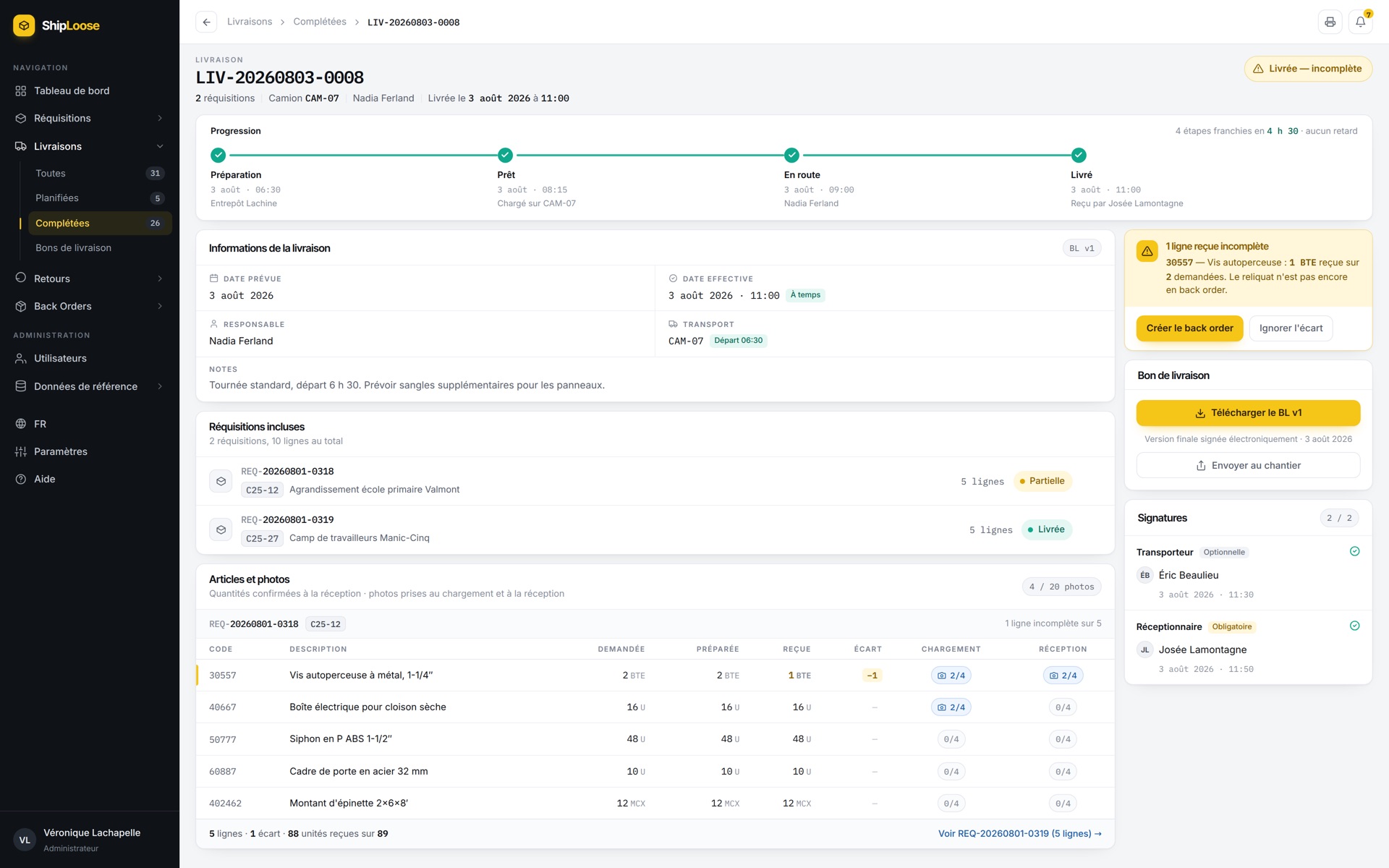
A requisition moves through the statuses below, and the delivery that carries it has 4 of its own. Each status is timestamped and attributed, so the question of where an order has reached is answered on screen. The interface is in French, because that is what the crews read.
Waiting
En attente
Raised on site, in the approval queue.
Confirmed
Confirmée
Approved by the project manager.
Being picked
Préparation
The warehouse is pulling the items.
Ready
Prêt
Picked, waiting for a vehicle.
On the road
En transit
On a delivery, with the vehicle named.
Delivered
Livrée
Signed for on site, quantity by quantity.
Delivered, incomplete
When less arrives than was asked for, the delivery closes as incomplete rather than as done, and somebody has to decide what happens to the difference.
Shortfalls and returns
Both are records in their own right, not a note in a comment field. An outstanding quantity stays outstanding until it ships.
What we built
Every material request is one record, worked on by the site that raised it, the manager who approved it, the warehouse that picked it and the driver who delivered it.
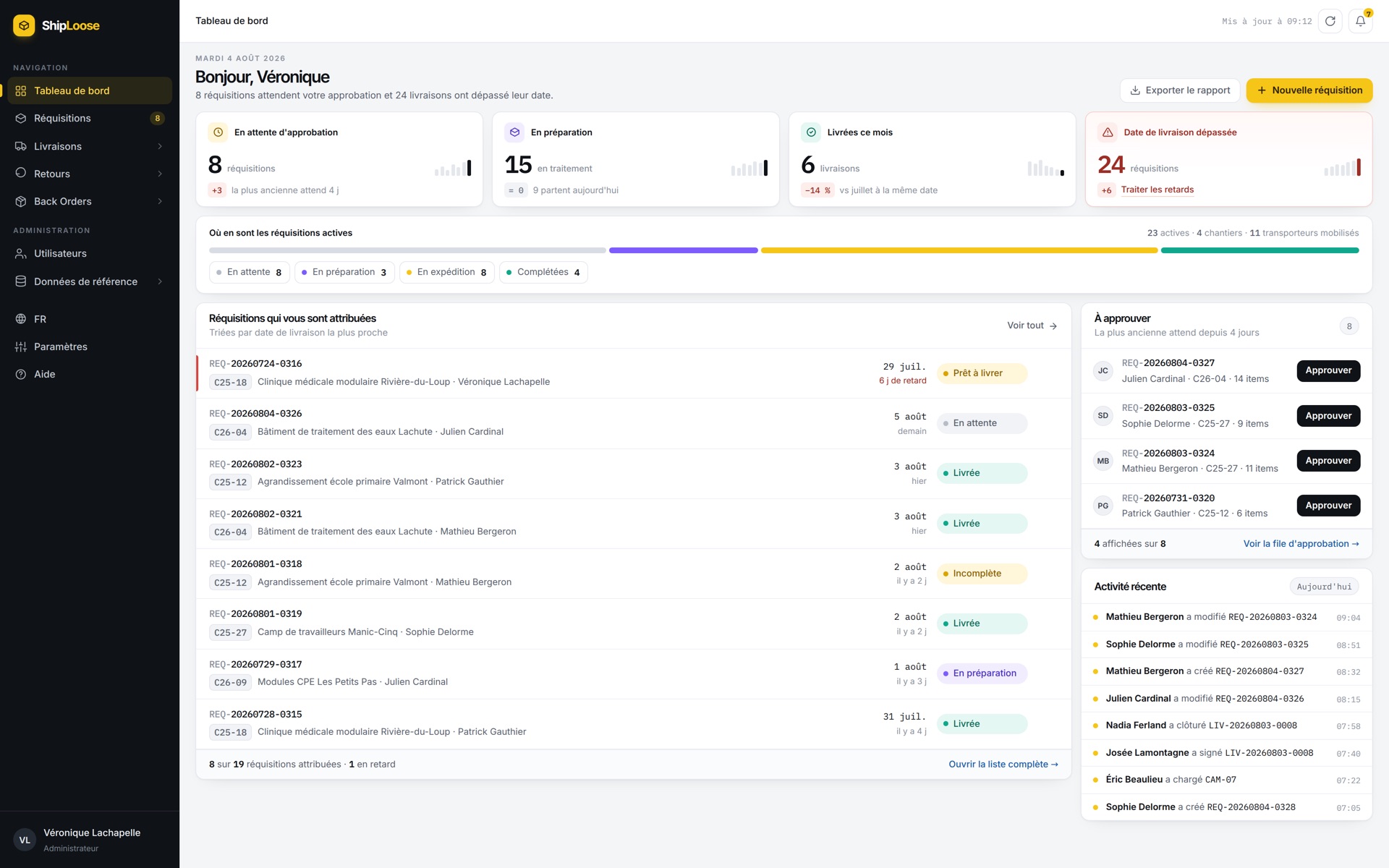
The dashboard opens on counters for requests waiting for approval, requests being picked, deliveries completed this month and requests past their required date. The approval queue sits beside them so a manager can clear it without changing screens.
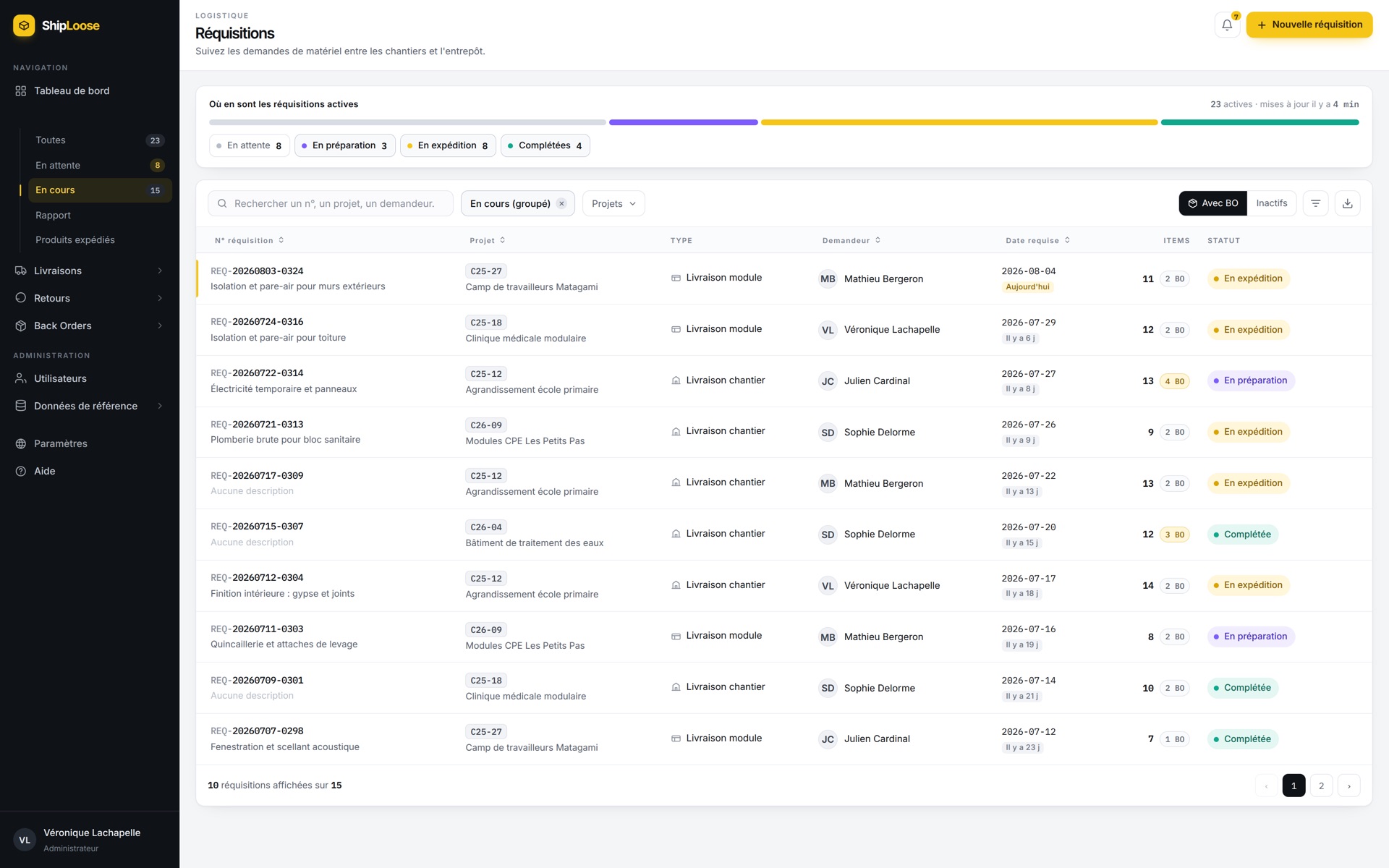
Every request in one table, with the project, the person who raised it, the date the material is needed on site and the number of lines still outstanding. Filtering by project, status or date replaces the phone calls that used to answer the same questions.
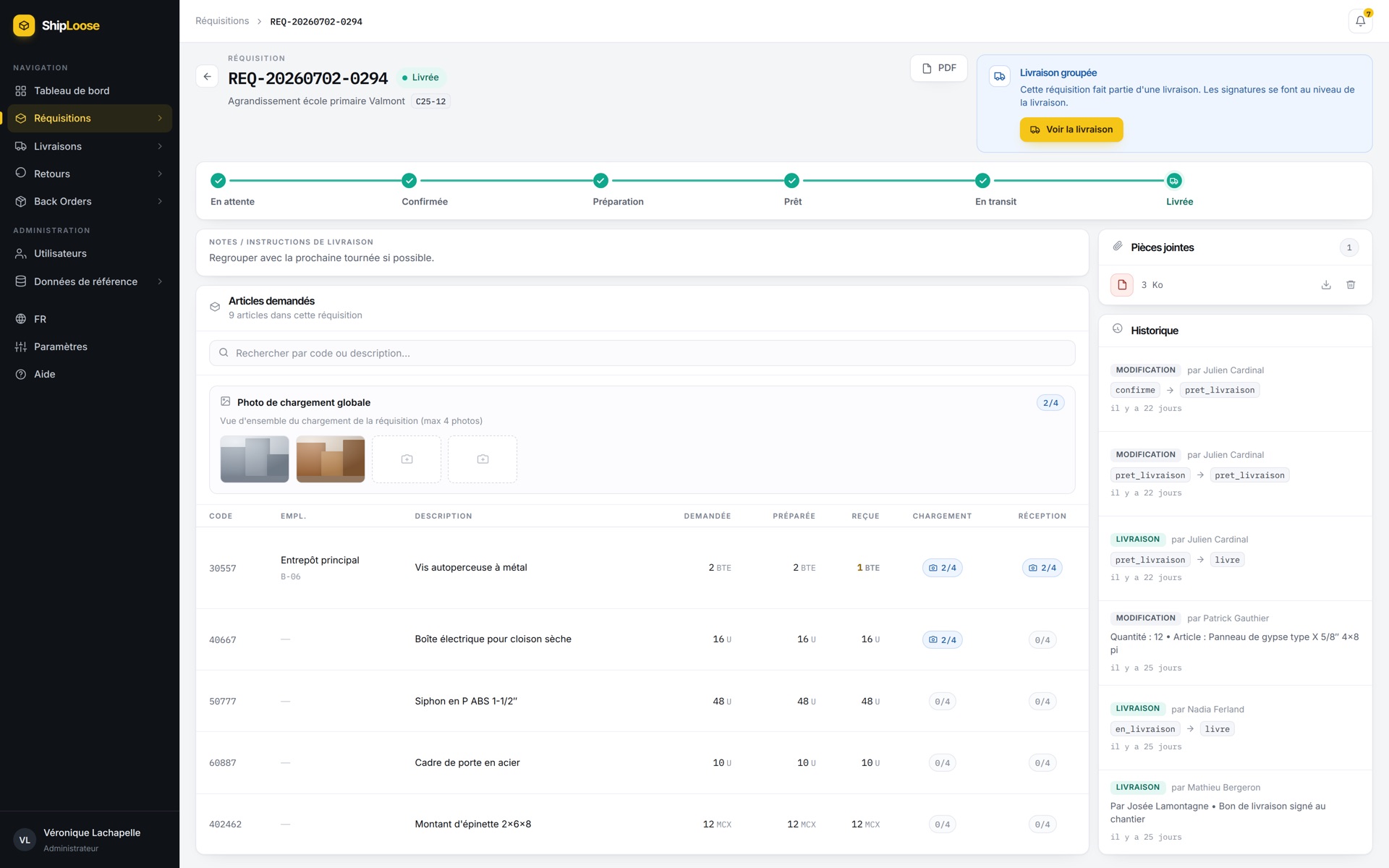
Each line records the quantity requested, the quantity picked and the quantity received on site, with photographs attached at loading and again at reception. A disputed delivery is settled by looking at the record rather than by trading recollections, and the change history shows who did what.
A vehicle heading to a site usually carries several requests at once. The warehouse groups the ones that are ready, assigns the vehicle, and the application issues a single delivery note for the load. The receiver signs on arrival and every request in the load takes its status from the delivery.
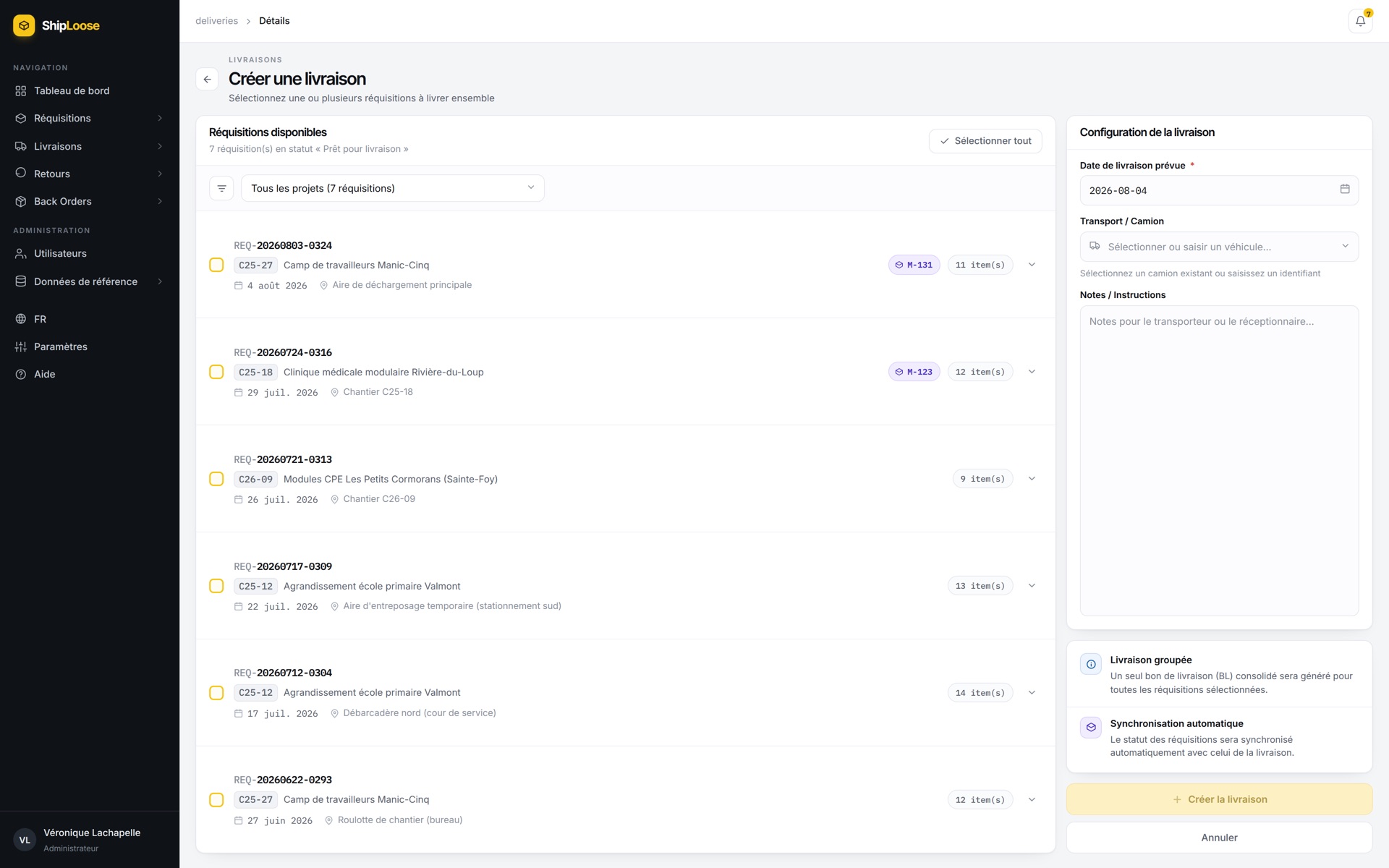
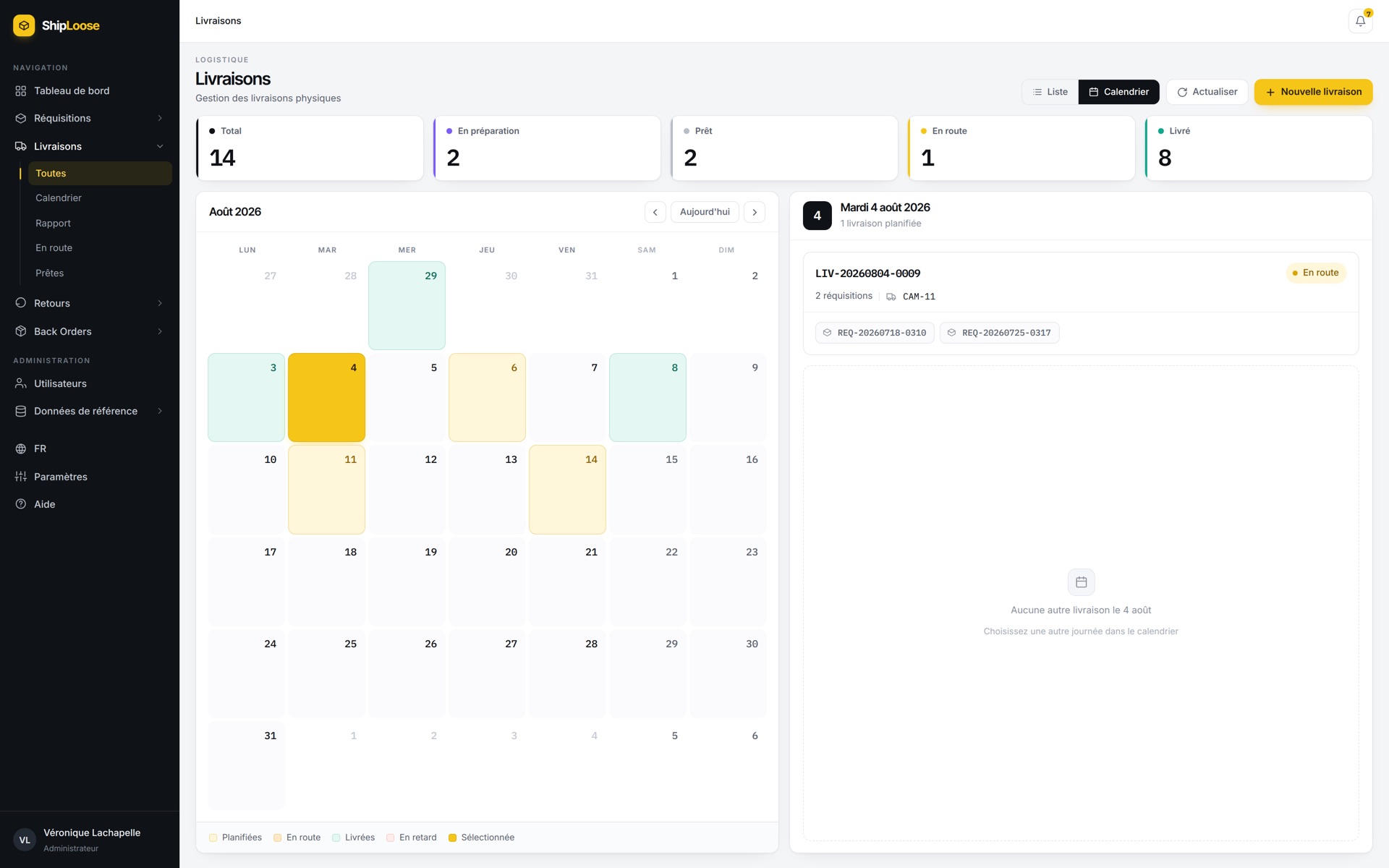
The calendar shows a month at a time, with each day coloured by the status of the deliveries on it and the selected day's loads listed alongside. When 2 vehicles are already scheduled to the same site on the same day, the planner sees it before booking a third.
Filters on project, status and date range combine, and the totals for deliveries, articles and quantities recalculate with them. Any result on screen can be exported for the person who asked for it.
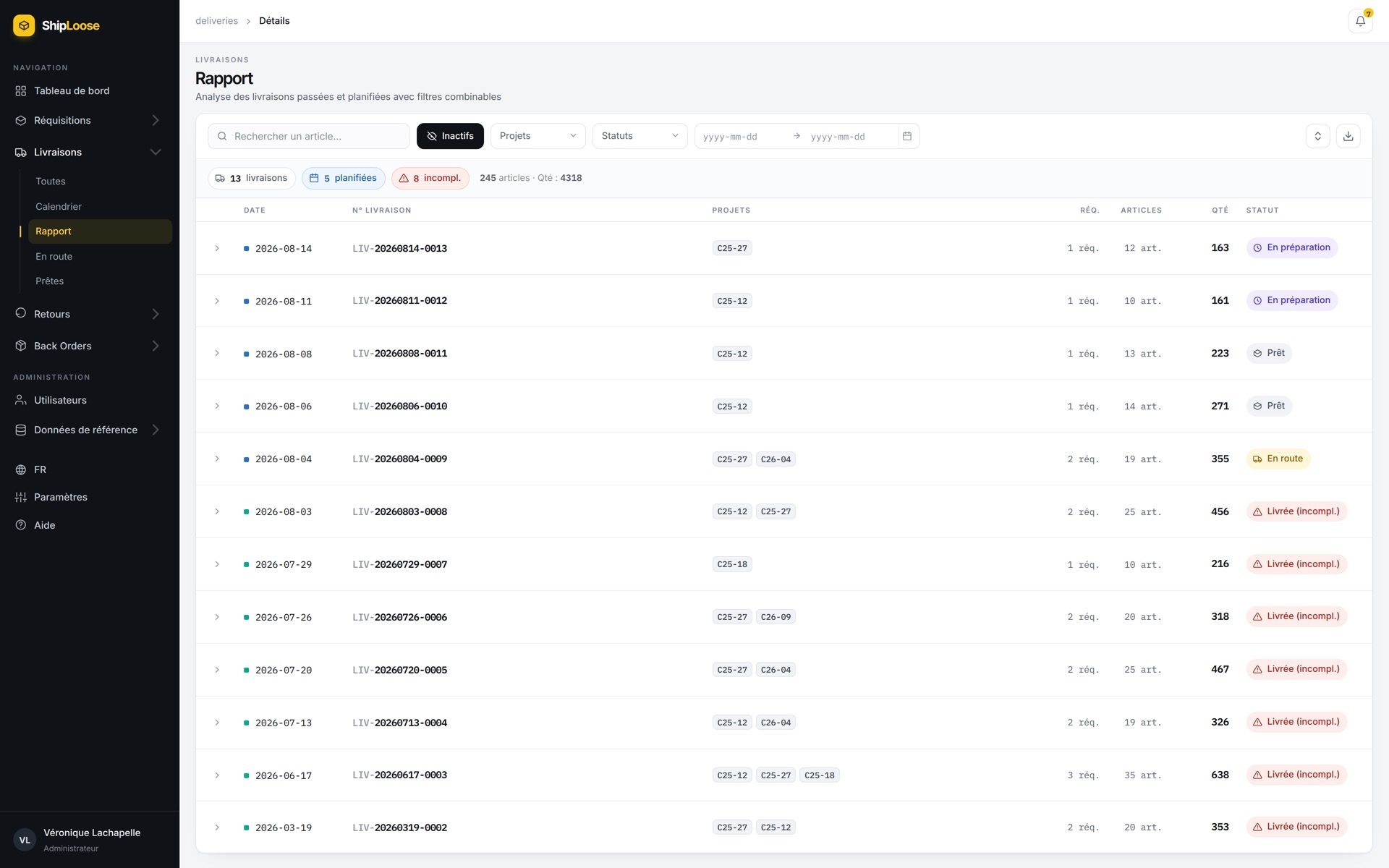
These screens come from a demonstration environment. The projects, people, quantities and photographs in them are invented. No client data appears on this page.
How we ran it
We did not price the build before we understood the work. The first phase is a set of workshops that produce a written specification, the target process and a plan for everything after it.
Workshops with the people who do the work: site supervisors, project managers, purchasing and the warehouse. We mapped the process as it ran and as it should run, and wrote both down.
The interface came first and was reviewed with the people on site and in the warehouse. Each part of the application went into real use before the next one started.
Their own staff ran the acceptance tests against a written plan, including the paths that fail: a supplier who never delivers, a load that arrives short.
We supported the team through the first weeks, when the edge cases nobody predicted arrive, and handed over documentation and a support plan.
The result
The warehouse loads what the site asked for, and the office can answer for any delivery without phoning anyone
For the crews
Material requested from the building they are standing in, and a status they do not have to phone for.
For the warehouse
A list to pick from that came out of the request itself, and shortfalls that stay visible until they ship.
For the office
A record of who approved what on which project, and reporting that nobody has to rebuild by hand.
Your turn
Most companies we meet have one: the file everybody depends on and nobody trusts. Replacing it is ordinary work, and it goes wrong in predictable ways.
The reason a warehouse distrusts a line on a requisition is rarely in the brief. We find it on the floor, with the people who get blamed when a truck is loaded wrong.
The analysis phase produces the written specification, the target process and the plan. If you stop there, you still own all of it.
The crews and the warehouse test it before it reaches a site, and we stay on it through the first weeks, when the real edge cases show up.
Describe the process, the people who run it, and the systems it has to live beside. We will tell you what we would build, what we would leave alone, and what it costs.
Have a project in mind?We build it and keep it running.
Book a call